
Document Management Software: Features, Benefits & Guide
Nov 19, 2026
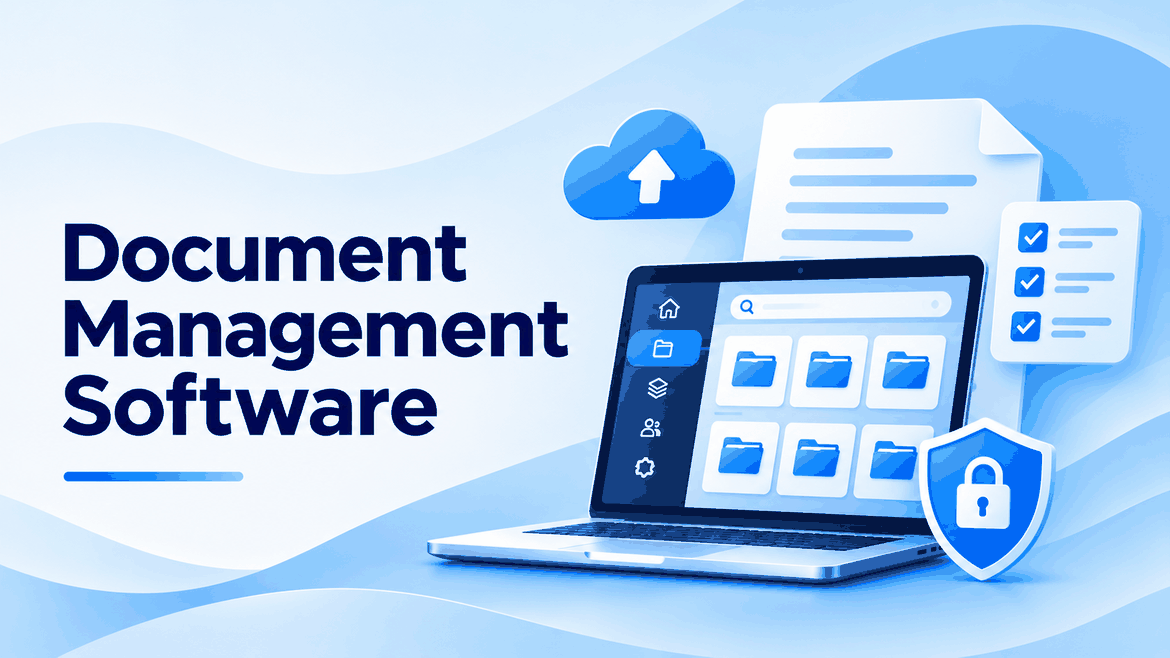
Document Management Software: Features, Benefits & Complete Guide for 2026
Document management software helps businesses store, organise, access, and manage digital documents in one place. Instead of searching through emails, folders, and multiple files, teams can find what they need, track changes, and manage approvals more easily.
With features like secure storage, version control, workflow automation, and AI-powered search, modern document management systems help businesses reduce manual work and keep their documents organised.
This guide explains how document management software works, its key features, benefits, and how to choose the right solution for your business.
Key Takeaways
Document management software helps businesses store, organise, search, and manage digital documents from a centralised platform.
Key features include secure storage, version control, advanced search, access controls, and automated approval workflows.
AI-powered document management helps classify documents, extract information, and simplify repetitive tasks.
Document workflow automation reduces manual follow-ups and makes reviews and approvals easier to track.
DMS vs. CLM: Document management software manages different business documents, while contract lifecycle management software handles contracts from drafting to renewal.
Choosing the right software depends on document volume, security requirements, integrations, and business workflows.
What Is Document Management Software?
Document management software, also known as a Document Management System (DMS), is a digital platform that helps businesses store, organise, track, and retrieve documents securely.
It replaces scattered files and manual document processes with a centralised system where teams can access the latest versions, manage permissions, and track approvals.
Unlike basic file storage, document management software supports structured workflows, collaboration, and greater control over business information.
For example, a company managing hundreds of vendor agreements can use a DMS to store contracts, track revisions, manage approvals, and retrieve documents without searching through multiple folders.
How Does Document Management Software Work?
Document management software works by bringing documents into one system, organising them, and making them accessible through a structured workflow.
The process generally involves six steps.
Document Upload and Capture
Businesses upload digital files or scan physical documents into the system.
These may include contracts, invoices, employee records, purchase orders, and compliance documents.
Document Organisation
Documents are organised using folders, tags, categories, and metadata.
For example, a vendor contract can be tagged with the vendor name, agreement type, contract date, and department.
This makes documents easier to locate later.
Centralised Storage
All documents are stored in a central repository where authorised team members can access them.
Instead of maintaining separate copies across emails and devices, teams can work from a common location.
Document Review and Approval
Documents can be shared with the relevant stakeholders for review and approval.
Version control helps teams identify the latest document, while workflow automation can route files to the appropriate approvers.
Document Tracking
Document management systems track document activities, revisions, and approval status.
This helps businesses understand who made changes, what was updated, and which actions are pending.
Document Retrieval and Retention
Once a document is approved or finalised, it can be stored according to the organisation's retention policies.
Authorised users can retrieve it whenever required for business operations, audits, or compliance reviews.
What Are the Key Features of Document Management Software?
The key features of document management software include centralised storage, document search, version control, security, workflow automation, and collaboration.
Here are the features businesses should look for.
Centralised Document Repository
A centralised document repository keeps business documents organised in one location.
Teams no longer need to search multiple email conversations, shared drives, or local folders to find important files.
For example, legal and procurement teams can access vendor agreements from a shared repository instead of requesting copies from different departments.
Advanced Search and Document Retrieval
Document management software makes files easier to find using keywords, filters, tags, and document metadata.
Advanced systems may also support full-text search, allowing users to find information within documents.
This is especially useful when businesses manage large volumes of agreements, financial records, or compliance documents.
Document Version Control
Version control maintains a history of changes made to a document.
It helps teams identify the latest version and review earlier revisions when needed.
For example, when multiple stakeholders review a contract, version control reduces confusion between different drafts.
Automated Approval Workflows
Document approval workflows help businesses manage reviews and approvals without relying entirely on emails and manual follow-ups.
Documents can be routed to the appropriate stakeholders according to predefined rules.
For instance, a procurement agreement may need approval from the procurement manager, finance department, and legal team before signing.
Role-Based Access Control
Not every employee needs access to every business document.
Role-based access control helps organisations define who can view, edit, approve, or share specific files.
This is particularly important for confidential agreements, financial information, and employee records.
Document Audit Trails
Audit trails maintain records of document activities, depending on the software's capabilities.
They can help businesses track changes, approvals, and access history.
This improves accountability and provides useful records for internal reviews.
AI-Powered Document Processing
AI-powered document management software can help teams process documents with less manual effort.
Depending on the platform, AI can assist with:
Automatic document classification
Extraction of important information
Document summaries
Intelligent search
Identification of missing or inconsistent information
Contract clause analysis
These capabilities are especially useful for businesses handling repetitive document-heavy processes.
Document Analytics and Reporting
Document analytics helps businesses understand how documents move through different workflows.
Teams can track pending approvals, processing time, document activity, and other operational information.
For contract management, analytics may also help monitor renewals, contractual obligations, and approval bottlenecks.
What Are the Benefits of Document Management Software?
Document management software helps businesses save time, reduce manual work, improve collaboration, and maintain greater control over important information.
Faster Access to Documents
Employees can quickly locate documents using search tools and filters instead of browsing multiple folders.
This helps teams access the information they need without unnecessary delays.
Less Manual Work
Automated workflows reduce repetitive activities such as sending documents for approval, tracking progress, and following up with stakeholders.
Teams can focus more on reviewing information and making decisions.
Better Collaboration
Multiple departments can work with documents through a shared platform.
Legal, finance, procurement, HR, and operations teams can access relevant files while maintaining appropriate permissions.
Improved Document Security
Access controls, encryption, and activity tracking can help businesses protect sensitive documents.
Administrators can manage permissions and reduce unnecessary access to confidential information.
Better Compliance Support
Document histories, approval records, and audit trails help businesses maintain organised records.
These capabilities can support internal policies and regulatory requirements, although compliance also depends on organisational processes and applicable laws.
Reduced Document Errors
Version tracking and centralised storage reduce confusion caused by outdated files and duplicate documents.
Teams can work with the correct version and maintain more consistent records.
Improved Business Visibility
Reporting and tracking features help managers identify pending documents, approval delays, and workflow bottlenecks.
This makes it easier to review document-related operations and identify areas for improvement.
What Is the Difference Between Document Management Software and Cloud Storage?
Document management software and cloud storage both store digital files, but they are designed around different primary needs.
Cloud storage focuses on file access, storage, and sharing. Document management software places greater emphasis on organising, controlling, and managing documents throughout their lifecycle.
Which one should you choose?
Cloud storage may be enough for businesses that mainly need to save and share files.
A document management system may be more suitable when teams need structured approvals, detailed access permissions, version tracking, and document workflow automation.
What Is the Difference Between Document Management Software and Contract Management Software?
The main difference is that document management software manages business documents, while contract management software focuses specifically on agreements and their lifecycle.
A DMS can handle invoices, employee records, reports, policies, and contracts.
Contract Lifecycle Management (CLM) software goes further by supporting contract creation, negotiation, approval, signing, obligation tracking, and renewals.
For example, a company looking to organise invoices and internal documents may prefer a general DMS.
However, a company managing vendor agreements, NDAs, service contracts, and renewal deadlines may benefit from a CLM platform.
How Is AI Changing Document Management Software in 2026?
AI is helping document management systems move beyond basic storage and retrieval.
Instead of manually organising every file or searching documents one by one, businesses can use AI-enabled tools to process information, identify important details, and simplify document-related tasks.
Here are some practical applications.
AI-Based Document Classification
AI can identify document types and suggest relevant categories.
For example, an uploaded agreement can be classified as a vendor contract based on its contents.
This reduces the need to tag every document manually.
Automated Data Extraction
AI can extract useful information such as names, dates, amounts, and other relevant fields.
For contracts, this may include effective dates, contract values, renewal dates, and contractual obligations.
Intelligent Document Search
AI-powered search can help users find information through natural-language questions.
For example, instead of manually checking contract folders, a user may search for:
"Show vendor agreements expiring in the next 60 days."
A system with suitable metadata and search capabilities can help identify matching documents.
AI-Assisted Document Review
AI tools can help summarise documents, highlight important clauses, and identify potential inconsistencies.
This is particularly valuable for legal teams reviewing large volumes of agreements.
However, important legal and commercial decisions should still involve human review.
Automated Reminders and Monitoring
Document management and contract management platforms can use automated rules and AI-enabled capabilities to track important dates.
For example, contract owners may receive reminders before renewal deadlines or notice periods.
This helps teams stay informed about upcoming responsibilities.
Which Businesses Need Document Management Software?
Document management software is useful for organisations that handle large volumes of documents or depend on structured approval processes.
Common use cases include:
Legal Teams
Legal teams use document management solutions to organise agreements, maintain document versions, manage reviews, and retrieve legal records.
Finance Teams
Finance departments can manage invoices, financial statements, purchase orders, and approval records through a centralised system.
Human Resources
HR teams can organise employee documents, offer letters, onboarding records, and internal policies with appropriate access controls.
Procurement Teams
Procurement departments can manage vendor documents, purchase agreements, compliance records, and approvals.
Banking and Financial Services
Banks, NBFCs, and other financial institutions often handle significant volumes of customer records, agreements, and compliance documents.
Document management systems can support secure document organisation, controlled access, and record tracking.
Growing Enterprises
As businesses expand, documents are often shared across departments and locations.
A centralised document management system can help standardise how information is stored, accessed, and managed.
How to Choose the Right Document Management Software
The right document management software should match your organisation's document volume, security requirements, workflows, and existing technology.
Before choosing a solution, consider these factors.
Understand Your Requirements
Identify which documents your teams manage and where they face the most difficulty.
Are employees struggling to find files, manage approvals, track revisions, or maintain compliance records?
Start with the problems you need to solve.
Evaluate Search and Storage Capabilities
Look for a centralised repository with clear document organisation and reliable search functionality.
Test whether users can find documents using names, keywords, metadata, and filters.
Check Security Features
Review access permissions, encryption, audit trails, authentication, and document-sharing controls.
For regulated industries, consider data retention, residency, and applicable compliance requirements.
Look for Workflow Automation
Choose a solution that supports your document review and approval processes.
Automated routing, notifications, and approval tracking can reduce manual coordination.
Assess AI Capabilities
If your business handles large volumes of documents, evaluate features such as document classification, data extraction, and intelligent search.
Make sure the AI capabilities are relevant to your actual workflows.
Review Integration Options
Check whether the platform can work with your existing CRM, ERP, HRMS, electronic signature, or other business systems.
Consider Scalability and Cost
Evaluate pricing, implementation requirements, user limits, storage capacity, training, and ongoing support.
A system should be able to support your business as its document requirements grow.
How SprintContractX Helps Businesses Manage Contract Documents
For businesses managing contracts, organising documents is only one part of the process.
Agreements also need to be drafted, reviewed, approved, signed, monitored, and renewed.
SprintContractX by PaySprint is an AI-powered Contract Lifecycle Management platform that helps businesses manage these activities through a centralised system.
It brings contract-related documents, approvals, signing, and post-signature management into one workflow.
Centralised Contract Repository
SprintContractX helps businesses store and organise agreements in a searchable repository.
Teams can retrieve contracts using metadata, filters, and full-text search, while role-based permissions help manage access to sensitive agreements.
AI-Powered Contract Drafting and Review
The platform supports AI-assisted contract drafting using templates and approved clauses.
It also helps identify non-standard clauses, making contract reviews more structured.
Automated Contract Approvals
SprintContractX supports configurable approval workflows based on factors such as contract type, value, and risk level.
This helps teams route agreements to the appropriate stakeholders and track their progress.
Integrated Electronic Signatures
Approved contracts can move to electronic signing within the same platform.
This helps reduce the need to manage contract execution through disconnected tools.
Contract Renewal and Obligation Tracking
SprintContractX helps teams monitor contractual obligations, renewal dates, and important deadlines through alerts and dashboards.
Contract Analytics and Reporting
The platform provides insights into contract workflows, approval status, cycle times, and risk-related information.
This helps legal and business teams gain greater visibility into their contract operations.
Looking to simplify contract document management?
Explore how SprintContractX helps businesses manage agreements from drafting and approvals to signing, storage, and renewals.
Conclusion
Document management software helps businesses organise documents, reduce manual tasks, improve collaboration, and maintain better control over information.
From centralised storage and version control to automated workflows and AI-powered capabilities, the right system can make everyday document processes easier to manage.
For businesses handling complex agreements, AI-powered contract lifecycle management software such as SprintContractX can provide additional capabilities for drafting, reviewing, approving, signing, and tracking contracts from one platform.
Explore SprintContractX to simplify contract management and bring greater visibility to your agreement workflows.
Frequently Asked Questions About Document Management Software
1. What is document management software?
Document management software is a digital system that helps businesses store, organise, search, track, and manage documents. It commonly includes secure storage, version control, access permissions, and approval workflows.
2. What is the main purpose of a document management system?
The main purpose of a document management system is to make documents easier to access, control, and manage. It helps reduce scattered files, duplicate versions, manual work, and document-related delays.
3. What are the essential features of document management software?
Essential features include centralised storage, document search, version control, role-based access, audit trails, workflow automation, and collaboration tools. Some platforms also offer AI-based document processing.
4. How does AI improve document management?
AI can help classify documents, extract information, summarise content, improve search, and assist with document reviews. These features reduce repetitive tasks and make information easier to access.
5. Is document management software different from Google Drive or OneDrive?
Yes, although their capabilities can overlap. Google Drive and OneDrive provide cloud file storage and collaboration. Document management systems focus on structured document control, workflows, indexing, retention, and governance. Some cloud platforms also offer these advanced features.
6. Which industries use document management software?
Document management software is used across industries, including banking, financial services, healthcare, legal services, manufacturing, education, and professional services.
7. What is the difference between DMS and CLM software?
A DMS manages different types of business documents, while CLM software manages contracts throughout their lifecycle, including drafting, reviews, approvals, signing, obligations, and renewals.
8. What is the best document management software for businesses?
The best document management software depends on the organisation's requirements. Businesses should compare security, search, automation, integrations, scalability, and cost. For contract-focused workflows, specialised CLM software may be more suitable.
9. Can document management software help with compliance?
Yes. Features such as audit trails, access permissions, version control, and document retention can support compliance processes. However, organisations must still meet their applicable legal and regulatory obligations.
10. Can document management software automate approvals?
Yes. Many document management systems support automated approval workflows. Documents can be routed to designated stakeholders based on predefined rules, with notifications and status tracking to reduce manual follow-ups.
Related Posts
What is E-Banking? Meaning, Types, Benefits & How It Works in India.
E-banking is the digital way of accessing banking services through mobile apps, websites, ATMs, and biometric systems. It enables secure, fast, and branchless financial transactions anytime and anywhere in India.
Read More
When Maps Change, Money Follows: How Geopolitics Is Rewiring B2B Payments in 2026
Payments are no longer just a plumbing problem — they're a geopolitical one. Explore how Indian B2B businesses can navigate a fragmented, fast-changing global payment landscape
Read More
What Happens Inside an Escrow Release Event? A Step-by-Step Breakdown for Businesses
A complete breakdown of escrow release events—covering triggers, validation, vendor response, and access to source code—helping businesses ensure continuity and minimize vendor risk.
Read MoreReady to Protect Your Core Systems?
Join enterprises that trust SprintEX-Code to safeguard their mission-critical software. Get started with a consultation to discuss your specific escrow requirements.